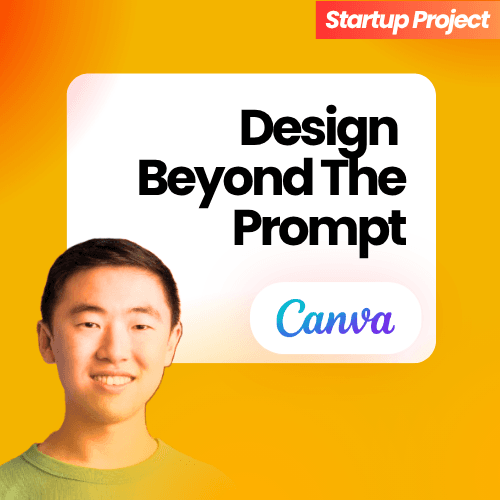
Danny Wu, Head of AI Products at Canva, joins Nataraj Sindam to discuss how Canva is building AI into the core of design. Drawing on a decade at the company, Danny explains why design is moving up the abstraction ladder from pixels to objects to concepts, what shipped with Canva AI 2.0 and agentic design, and why chat-only prompting is too lossy to be the future of creative work. They also dig into the "AI aesthetic" and design collapse, why brand kits and taste become your differentiator, and Canva's push into generative video.
5 Things You'll Learn from This Episode
- How Canva raised the abstraction level of design — from editing pixels, to arranging objects, to now manipulating whole ideas and concepts with AI.
- Why Canva believes chat-only prompting is a lossy, restrictive interface for creative work, and why human steering still produces the most meaningful outputs.
- What shipped with Canva AI 2.0 — a platform re-architecture that puts an AI orchestrator at the center — and how Canva Code 2.0 turns prompts into editable design pages.
- When generative AI actually saves time versus when it's slower than designing from a template, illustrated by features like Magic Layers.
- Why the "AI aesthetic" exists — it's a byproduct of RLHF, not a model limitation — and how brand kits and design systems break you out of the generic default.
- How Canva picks and ships new AI features, from prototype through the "chaos to clarity" spectrum, and why it isolates model upgrades to measure true impact.
About the Episode
Danny Wu, Head of AI at Canva, joins Nataraj to unpack how one of the most-loved creative tools is weaving AI into design. Having spent a decade at Canva — starting as a software engineer when the company had around fifty people — Danny explains how design is moving from editing pixels, to arranging objects, to manipulating whole concepts, and why the best AI outputs are still co-created with humans. The conversation covers Canva AI 2.0, agentic design, the "AI aesthetic" problem, taste as a differentiator, and why Canva is rebuilding its video editor for the generative era.
Timestamps
- 0:00 — Introduction: Canva and the abstraction layers of design
- 1:12 — Danny's 10-year journey from engineer to Head of AI
- 6:07 — From focused ML models to transformers and LLMs
- 8:22 — Raising the abstraction level: pixels, objects, and concepts
- 13:30 — Canva AI 2.0, Canva Code 2.0, and agentic design
- 15:22 — Which use cases AI is good for (and Magic Layers)
- 22:03 — Model evolution, diffusion models, and cost
- 27:36 — What agentic AI means inside Canva
- 30:31 — The ChatGPT, Claude, and Copilot integrations
- 33:57 — The "AI aesthetic," RLHF, and design collapse
- 37:49 — Taste and design systems as your differentiator
- 42:44 — How Canva picks and ships a new feature
- 45:24 — Surprising ways people use Canva AI
- 48:59 — Rebuilding the video editor for the generative era
Key Insights
Q: What is "agentic design" in Canva?
Agentic design is when Canva AI acts as a collaborative design partner that can complete goals on your behalf — from tedious tasks like updating a logo across a 20-page presentation, to retrieving information from documents, analyzing it, and building a design around it. Danny describes it as a collaborator "that has design superpowers" plus all of your context, connected to tools like Slack, Gmail, and Drive via MCP. The aim is not just to generate a design, but to help you accomplish whatever job you came to Canva to do.
Q: What is the "AI aesthetic" and why do AI-generated designs look the same?
The generic look of AI-generated images and presentations isn't an inherent limitation of large language or diffusion models. It's a byproduct of the RLHF and aesthetic-steering used in post-training, which pushes models toward the median preference of human (or AI) raters. Danny calls this "design collapse," and says brand kits, design systems, and human touch-ups are what break outputs out of that default.
Q: When is generative AI slower than designing from scratch?
For some modalities — especially video — the amount of prompting and re-iteration needed to get a usable result can take longer than creating it by hand from a template. Danny warns against treating AI as "one hammer" for everything. Canva's approach is to watch how each modality matures and apply AI where it genuinely saves time, such as its Magic Layers feature that turns any flat image into a fully editable Canva design.
Q: What is Canva AI 2.0?
Canva AI 2.0 is a platform re-architecture that shifts Canva from a design platform with AI features to one powered by an AI orchestrator at the center, with access to all of Canva's design tools and foundation models. It introduced capabilities like memory, connectors, and MCP support, and underpins Canva Code 2.0, which turns a prompt into an editable page in your design rather than a standalone iframe artifact.
About Danny Wu
Danny Wu is Head of AI Products at Canva, where he has spent a decade — joining as a software engineer in 2016 when the company had around fifty people. A self-described creative and technologist who previously freelanced as a web developer and graphic designer, he led product across content discovery, machine learning, and data science before taking on Canva's AI products. Today he works with teams across Canva to bring AI into seamless design workflows, including Canva AI 2.0, agentic design, and the company's own foundation models.
Head of AI at Canva
About the Host
Nataraj Sindam is the creator of The Startup Project, a podcast featuring founders, investors, and operators building the future.
#StartupProject #Canva #DannyWu #AI #GenerativeAI #Design #AgenticAI #DiffusionModels #ProductManagement #Entrepreneurship #Podcast #Tech